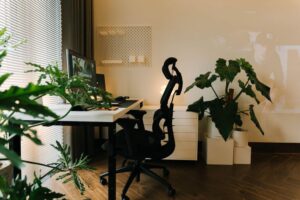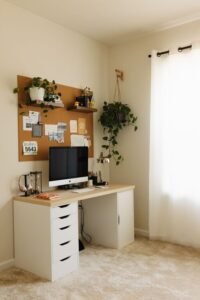
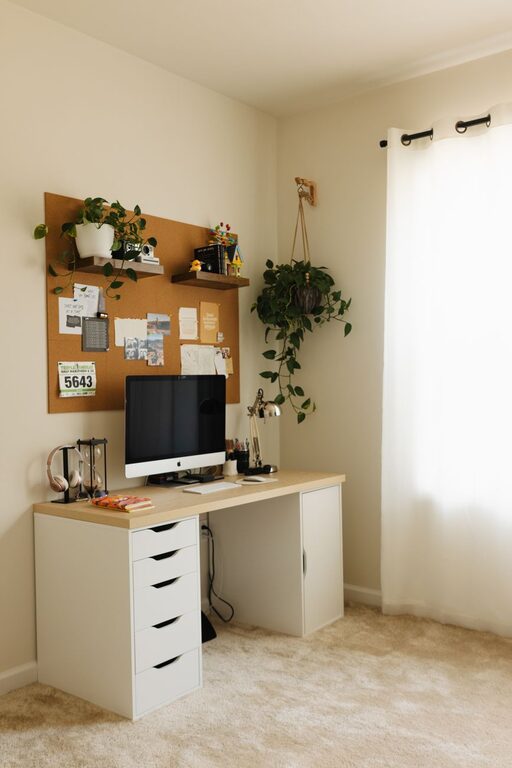
Creating a cozy and productive home office space can significantly enhance your work-from-home experience. Whether you’re a remote employee, freelancer, or running your own business, a well-planned workspace helps you stay focused and comfortable throughout the day. Here are some practical tips to help you design a home office that meets both your comfort and productivity needs.
Choose the Right Location
Finding the perfect spot for your home office is the first step. Ideally, select a quiet area with minimal distractions. Here are some considerations:
– Natural light: A room or corner near a window can improve mood and energy levels.
– Privacy: Choose a space away from high-traffic areas or noisy zones in your home.
– Space: Ensure there’s enough room for your desk, chair, and storage needs without feeling cramped.
If space is tight, consider creative options like a converted closet or a corner in the living room. The key is to make that spot your dedicated work zone.
Invest in Comfortable Furniture
Comfort plays a vital role in maintaining productivity and preventing fatigue. Here’s what to keep in mind when choosing your furniture:
– Ergonomic chair: Look for adjustable height, good lumbar support, and a comfortable cushion.
– Desk size and height: Pick a desk that fits your equipment and allows your arms to rest at a natural angle.
– Footrest: If your feet don’t rest flat on the floor, a footrest can reduce strain on your legs.
Investing in quality furniture might require some upfront cost, but good ergonomics can save you from discomfort and health issues later.
Organize with Purpose
Clutter can distract and overwhelm. An organized workspace keeps your mind clear and your tasks manageable. Try these organization tips:
– Declutter regularly: Remove unnecessary items from your desk and office area.
– Use storage solutions: Shelves, filing cabinets, baskets, and drawer organizers help keep supplies in order.
– Designate zones: Have specific areas for paperwork, office supplies, and digital equipment.
Digital organization matters, too. Keep your computer desktop clean and use folders and calendars to track tasks efficiently.
Personalize Your Space
Adding personal touches can make your home office inviting and inspiring. Here are some ways to personalize without cluttering:
– Artwork and photos: Hang a favorite painting or photo that motivates you.
– Plants: Greenery improves air quality and adds a calming vibe.
– Color scheme: Choose colors that energize or soothe, depending on your preference. Soft blues or greens are often good choices.
– Lighting: Besides natural light, use warm desk lamps or floor lamps for cozy, adjustable illumination.
Remember, personalization should enhance your space without creating distractions.
Minimize Distractions
Distractions hinder productivity, so it’s important to limit them in your home office. Consider these strategies:
– Noise control: Use noise-cancelling headphones or white noise machines if ambient sounds distract you.
– Clear boundaries: Communicate your work hours with family or roommates to avoid interruptions.
– Limit digital distractions: Turn off unnecessary notifications and set specific times to check emails and social media.
Creating a distraction-free zone helps you focus and get more done.
Optimize Technology Setup
A reliable and efficient technology setup ensures smooth workflow. Pay attention to the following:
– Stable internet connection: If possible, use a wired connection for faster, more reliable internet.
– Ergonomic peripherals: Invest in a good keyboard and mouse to prevent strain.
– Monitors: Consider dual monitors or a larger screen to make multitasking easier.
– Cable management: Use clips, sleeves, or trays to organize cables and avoid tangles.
Comfortable tech setup minimizes frustration and helps you remain productive.
Create a Routine and Take Breaks
A cozy and productive workspace is only part of the equation. Maintaining healthy work habits is equally important.
– Set regular work hours: Define when you start and finish work to create structure.
– Take short breaks: Step away from your desk every hour to stretch or walk around.
– Stay hydrated and snack smartly: Keep water and healthy snacks nearby to keep energy levels steady.
A routine supports mental focus and physical wellness during long workdays.
Final Thoughts
Designing a cozy and productive home office doesn’t have to be complicated or expensive. By choosing the right location, investing in ergonomic furniture, staying organized, and personalizing your space, you can create an environment that supports your best work. Minimizing distractions, optimizing technology, and developing good work habits will help you maintain productivity while enjoying the comfort of home. With these tips, you’ll be well on your way to a home office that feels just right.